Artificial Academy 2: Free roam (no spoiler)
- Recent changes
- All pages
- Wiki tutorial
- Purge (this page)
all characters are at least 18
- No spoiler
- Game Description
- Mod and uncensor
- Free roam (no spoiler)
- Card editor (no spoiler)
- Mouse and Keyboard shortcuts
- How-to (Free roam)
- How-to (Modding)
Contents
Essentials
This article describes free roam gameplay and user interface.
- AA2Edit.exe Card (character template) editor
- AA2Play.exe Free roam ◀◀◀
- AA2QtEdit.exe Save file editor
- Poser 3D scene editor similar to Koikatu Chara Studio
Getting started
Audio plays an important part in gameplay. Playing muted may be challenging.
- 1. Open AA2Play.exe.
- Set Resolution (e.g. Type in 2560x1440 for 2K1). To go fullscreen, enter the current resolution and tick Scripts tab > borderless (enabled by default).
- Tick Scripts tab > JMCP if "Japanese More Cum Poses" is installed, otherwise H-scene menu'd be bugged
- Untick Scripts tab > climaxbutton if "Japanese More Cum Poses" is not installed, otherwise H-scene menu may be bugged.
- Tick Scripts tab > subtitles allows non-Japanese-listening players to understand NPC.


- 2. Click Launch the game.
 Click New game on the Title menu
 - 3. Fill in school and class name. This is used as the save file name. Click Done
- 4. Edit club names as required. Click Done

Solutions to AA2Play.exe not opening
- Read AAU wiki and MiniPPX install guide more carefully
- Disable any locale previously enabled. Locale also may bug the game with 0% on all interactions. 5
- Try moving the game to a simpler English path e.g. "C:\AA2MiniPPX" 4
Home (Night)
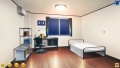
Night (male)

Night (female)


- 5. Click the
 to open the class rooster (seating plan) screen.
- 6. To add students (up to 24) and teacher (up to 1), select any vacant seat, click
 to create a new character from the selected card.
- At least 3 characters must be present for the game to begin.
- Card background color is meaningful. Add at least one for each of the five may prevent frustration.
- Seat position does not affect relationships
- Character seated cannot switch seat due to technical reasons.
-
 opens outfit screen to dress the selected student.
  After adjustments, click
  to save changes. To apply current outfit set (uniform, sport, swimsuit, club) to all characters of current sex, click
  .
. -
 removes character. All stats will be lost. A farewell audio would play if she has good relationships.
 -
 fill vacant seats with available cards if possible (each card is not used twice.)
- Teacher

- Any card can be assigned teacher, but it does not change outfit automatically.
- Teaching and club performance affects teacher-student relationships.
- Can only teach or exercise with student(s).
- Enters club tournaments sometimes, but does not seat for tests or exams.
- Cannot fight.
- 7.


Notes :
- Save files are under /data/save/ directory. The .SAV contains main data, .JSON file contains AAU data.
- Data of character and card (.PNG, character template) are separate. Editing card with card editor does not change character, vice versa. But save editor can edit .SAV file and character data inside.
Home (Morning)

Morning (male)
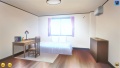
Morning (female)


- 8. To assume the role of any character (a.k.a. set the Player Character,
 ), click and select one. Background picture changes to reflect current PC's sex.
 - 9.


Free roam

- Free roam around Locations (a.k.a. Rooms) and interact with NPCs.
- Most Locations are simply passages to another Location.
Interactable spots
- There are interactable spots on the background picture. Putting the mouse cursor over one activates a pop-up.
- Left-Click to move to and interact with, which may open screens or go to a new Location.
- Right-Click to cancel.
- Some spots are hidden (no pop-up) unless PC is leading a NPC with
 Follow me. Discover these spots by moving around different Locations and searching with the mouse, while leading a NPC.

Buttons
-
 See Group.
 -
 Mini map. Left-Click to auto pilot. Game paused while menu open.
 - Class. Left-Click to auto pilot to NPC. Game paused while menu open.
- Skip this period and move instantly to next lesson's room.
- Save is available at the Home (Night) screen. Also, press F3 to save anytime as required (AAU mod functionality).
- Load is inside Game menu F1.


Interacting with NPCs
- Use Mousewheel to select and switch between NPCs displayed on screen. Selected NPC's name is displayed inside the top left box, and a circle is shown under the model.
- Green circle: NPC is available. Middle-Click (pressing on mousewheel) to move to and interact with.
- Yellow circle: NPC is interacting with another character, Middle-Click to interrupt them.
- Red circle: Interactions disabled for now.
- Alternatively, Left-Click move to and interact with the NPC under mouse cursor. Could end up selecting a wrong NPC by mistake.
- Right-Click to cancel.
Interaction buttons

Group
- Let's have fun : Invite everybody here to arcade
- Let's eat : Invite everybody here to restaurant
- Let's go to karaoke : Invite everybody here to karaoke
 Influence

- Grumble : Speak negatively about yourself.
 Lecture

- Encourage to cooperate : Encourage to join #Group
 Gossip

- I have a good rumor : Say something positive about a particular NPC.
- Try to get along with : Ask NPC to get along with a particular NPC.
- I want to get along with : Ask NPC to tell a particular NPC something positive about PC
- I have a bad rumor : Say something negative about a particular NPC.
 Chat
Chat

 Invite

- Let's study together : Invite home.
 Bully
Bully

- Ignore : Order to ignore another character.
- Show 'that' : Demand to expose themselves to PC.
 Love
Love

- Let's be lovers : Lover status is not cheating in the game universe, but certain interactions are.
 Contact

 Travel
- Come here later : Asks to meet at a location next Period (or tomorrow morning). During next period that location is marked on the mini map with a
 icon.
icon.

3D view during conversation

During interaction or interruption,
- Press SPACE to disable interaction countdown, hide the HUD and enter 3D view.
- Adjust camera. Take screenshots as required etc. See Mouse and Keyboard shortcuts
- Press SPACE again resets the camera and resumes interaction.
This does not freeze time. Other NPCs can move freely. NPC can also interrupt.
Period
- A Period is a session of time between lessons, club activities and Home.
- Mouse cursor color tells time remaining.

- To skip, click the bottom right
 .
.


Stats screen
- Interact with a particular object to open the Stats Screen.
| SPOILER : Object location |
|---|
|


Stats screen

Bottom right buttons


Opinion Stats
- Lover of currently selected character is indicated by a small


Personal Stats
- Rejected Count: Times this person was rejected asking someone out. Doesn't seem to include being rejected by your characterneed confirmation.
- Victory count: Fights won.
- Academy Grade: Last test / exam result.
- Sport Grade: Same as above but for the sports.
- Club Grade: Same as above but for club activities.
- First Sexual Partner: Vaginal.
Sexual Stats
- H Compatibility: A couple will develop H Compatibility each time they have sex.
- Total Sex: Counts penetrative sex only. Does not count blowjobs and handjobs.
- Cum In Genital: Vaginal. With or without condom6.
Leaderboards
- Intelligence(Wisdom) and Strength are current.
Stats screen cheat
Stats screen can be made available anytime (AAU cheat, require restart)
| SPOILER : How to enable cheat |
|---|
|
Enable "jizou" in launcher. May need to change Settings to Ctrl (Hold key and click |

H-scene

-
 : Switch active / passive
 -
 /
/  /
/  /
/  /
/  : Endless
 -
 /
/  /
/  /
/  : Orgasm in ~10 seconds.
  to cum on body.
 -
 End H-scene
 - 3D camera control see Mouse and Keyboard shortcuts
- Starting pose is determined by Personality


Pregnancy and condom
- Condom usage is gameplay that requires paying attention mostly before entering H-scene screen. Location plays a part.
- To override condom usage mechanism, edit in the configuration menu.
- Every female character has a 2-week Impregnation Risk cycle. The cycle in game is random. It does not represent reality.
- Days are either Safe, Normal, or Risky. Girl behaves differently.
- Impregnation risk can be edited in the the configuration menu.
Configuration Options
System tab

- Show Shadow : Toggles shadow. Requires AA2Play.exe > Shadowmap.
- Show Focus point : Toggles display of the white circle (rotation center indicator) when holding Right-Click.
- Automatically Change Camera (hyphen)3 : Toggle automatic camera update after H-scene sex position change.
Sound tab
(nothing special)
Shortcuts tab
The Mouse and Keyboard shortcuts lists all, including 3D view.
Additional tab


Three pages, click Next page → to turn to next page.
Use custom BGM To replace gameplay music, place .WAV or .OGG files named AA2Bgm00-132 into "/.../data/CustomBgm/".
Period As in time period
PC Auto Mode
- Automcatic PC movement, interaction (screens skipped) and interuption (interuption can be disabled individually). Activity is based on Sociability.
- Disables all user inputs except the bottom right .
- Can only toggle at Home (Night) or Home (Morning).
Content pending clarification
- 3 Automatically Change Camera :
- previous on this page : The Reset key may function differently depending on where the camera was placed when this option is toggled off.
- on Advanced Tips, 18 December 2016 : Same view in H : During H, toggle the - underscore/hyphen key - on the PC keyboard and the position of the character on the screen will not change when you repeat the same action. If you go to a different action, the action will be oriented to the placement of the floor in the last action. This is helpful if you want to repeat the same or similar action with the characters in a special screen position, or if you want to position the couple with the furniture in the Love Hotel or at Home.
Reference
- 1. ^ F95zone Grim
- 2. ^ [https://docs.google.com/spreadsheets/d/1gwmoVpKuSuF0PtEPLEB17eK_dexPaKU106ShZEpBLhg/edit?gid=1774398480#gid=1774398480 Custom Music - AA2 Data Reserve spreadsheet
- 3. ^ See #Content pending clarification
- 4. ^ F95zone dbuck53
- 5. ^ F95zone BrasCubas
- 6. ^ F95zone BudgetPro
- 7. ^ F95zone edgruberman
- 8. ^ F95zone FranklinClinton

